
LifeWise - AI Family Hub. One App to Manage Your Entire Family
LifeWise - AI Family Hub is made for family use. Built for the whole family, not a personal to-do list. Papa's medicines, bijli bills, health readings, Family Ledger, and caregiver alerts live on one Family Hub that every authorised member can use. Official app on Google Play (com.lifewise) and the App Store.


Free on Google Play & App Store • Made for Indian families
What LifeWise actually is
What LifeWise is, why Family Hub is unique, Family Ledger, location, wearables, WiseAI, Free limits, and Starter, Family, and Pro plans. Support contact lives on the Support page.
LifeWise - AI Family Hub is a family management app for Indian households: one mobile app that lets one person manage medicine reminders, bills, insurance, health, Family Ledger, documents and daily routines for their entire family, not just themselves. Instead of using 5 different apps for Papa's medicine, Mummy's doctor visits, electricity bills and insurance renewals, everything lives inside one Family Hub, and every family member can see and act on it together.
LifeWise is unique because it is a Family Operating System built around Family Hub: every medicine, bill, health reading, routine, Family Ledger entry, and location share belongs to a family member, not to a personal inbox. Other apps usually do one job for one person. LifeWise keeps the household on one member-card model, with caregiver alerts, real-time sync, Smart Automation for missed tasks, and Indian-language voice.
A normal reminder app only reminds you. LifeWise reminds the right person and every caregiver connected to them so if Papa misses his 8 PM tablet, his son and daughter both get notified, not just Papa. Most reminder apps are single-user; LifeWise is built around a family of members, each with their own profile, modules, and history, connected through one Family Hub.
Family Hub is the screen where every family member Papa, Mummy, kids, spouse gets their own card with their own medicines, bills, health data and documents attached to them. Every other feature in LifeWise (reminders, insights, WiseAI) pulls its data from Family Hub, which is why it's the star-badged, primary tab in the app. You add a member once, choose what you want to track for them, and their entire life fits on one card.
Family Ledger is LifeWise's family money module: who paid, what was spent, who it was for, contributions, and optional balances. It is different from Bill Management, which only tracks what still needs to be paid and when. When a bill is marked paid, LifeWise can offer to add that amount to Family Ledger once, so the obligation and the money event stay linked without being duplicated.
Family Location is a consent-based Family Hub module, not covert tracking. A member must opt in, choose who can view, and can pause sharing in one tap. Optional Safe Places (Home, School, Work) and arrival alerts exist only when someone turns them on. LifeWise does not promise a fixed update every few minutes, because phone operating systems control background timing.
Yes, Health Monitoring on a member card can read permitted data from Apple Health on iOS and Health Connect on Android, including compatible watches and bands that already write into those hubs. Manual logging still works if a device is not connected. Connecting a watch does not automatically share health data with the whole family; the member still chooses family sharing separately.
LifeWise offers 20 modules per family member Medicine Tracking, Doctor Appointments, Health Monitoring, Emergency SOS, Bill Management, Insurance, Subscription Tracking, Family Ledger, Daily Routine, Call & Check-in, Travel & Visits, Diet & Meal Planning, Medicine Stock Tracker, Important Documents, Fitness Tracking, Study & Education, Mental Health & Wellness, Vehicle Management, Home Maintenance, and a fully Custom module. Family Location is a Family Hub tool with its own consent flow. You choose only what applies Papa might only need Medicine + Bills + Insurance, while a student might only need Study + Family Ledger.
When you add a family member, LifeWise asks "who should manage or receive alerts for this person?" you can connect one or more caregivers (son, daughter, spouse) to that member. Every reminder for that person is then sent to both the member and every connected caregiver, and when any one of them marks it done, it updates instantly for everyone else. This means if you and your sibling both look after Mummy, you're never both wondering whether her BP medicine was taken.
WiseAI is LifeWise's built-in AI chat assistant, powered by Claude, that understands your family's data and answers in plain language. You can type or say things like "What reminders does Papa have this week?", "How much have we spent on food this month?", or "Mummy ki next doctor appointment kab hai?" and WiseAI replies using your actual family data. Limits are 5 messages per month on Free, 30 on Starter, 100 on Family, and 300 on Pro.
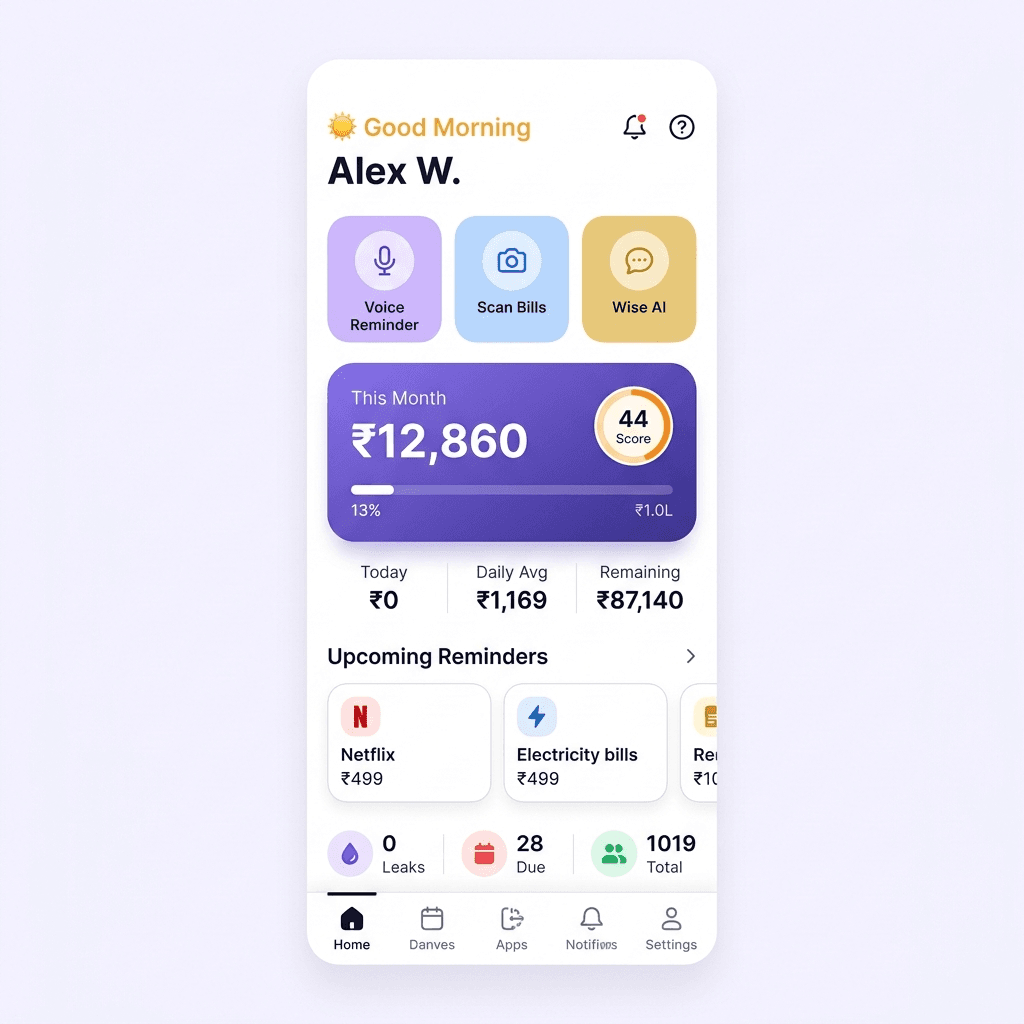
Yes LifeWise has a Voice Reminder feature where you tap the mic icon and simply say something like "Papa ko kal subah 8 baje medicine leni hai," and the app automatically detects the family member, the task, and the time, then creates the reminder for you to confirm. It's built for how Indian families actually talk, not just typed English commands.
Yes the Scan Bill feature lets you photograph any bijli, gas, water, or mobile bill, and LifeWise uses OCR to automatically read the bill name, amount, and due date, then pre-fills the form for you. You just confirm which family member the bill belongs to and save no manual typing of amounts or dates.
If a reminder isn't marked done within 30 minutes of its scheduled time, LifeWise automatically marks it "Missed" and instantly alerts every connected caregiver so you find out the same day, not a week later. Missed reminders are also shown in red across the Home screen and Reminders tab, and a daily summary notification tells you exactly how many reminders were missed that day.
Yes LifeWise uses real-time sync, so when one caregiver marks a reminder as done, it updates on every other connected caregiver's phone within seconds, without anyone needing to refresh the app. This is what makes LifeWise a true shared family system rather than separate individual reminder lists.
Money Leak Alert is a Family and Pro feature that scans your family's recurring spending and flags waste you'd otherwise miss, like paying for Netflix, Prime, and Hotstar together, or multiple food-delivery subscriptions. It shows the exact potential saving, for example "Rs. 3,600/year if you cancel one," so you can act on it in one tap instead of manually auditing every subscription yourself.
Yes. That is the core idea of LifeWise. Every family member gets their own profile with only the modules relevant to them, so Papa's card can show Medicine + Insurance while your own card shows Bills + Family Ledger + Subscriptions, all inside the same Family Hub, under one login, one Home screen, and one set of notifications.
Yes LifeWise is designed so that an adult child (25–45) can set up and manage everything on behalf of an elderly parent, while the parent simply receives simple notifications like "Papa ki BP Tablet lene ka time ho gaya" and taps one button to mark it done. Parents don't need to configure anything themselves the heavy setup is done by whoever is caring for them.
Emergency SOS lets any family member trigger help in one action shaking the phone three times or long-pressing the SOS button which instantly sends an SMS and call alert with their location to up to 5 saved emergency contacts. It also generates a shareable digital medical card with blood group, allergies, existing conditions, and current medications, so first responders have critical information immediately.
Yes LifeWise caches your last-fetched reminders and family data on your device, so you can view existing reminders and mark them done even when you're offline. Any actions you take offline are queued and automatically synced to the server and to your caregivers the moment your connection returns.
Yes LifeWise stores your family's data securely with encrypted authentication (JWT + Firebase Auth), documents stored on secure AWS S3 storage, and access limited to only the caregivers you personally connect to each member. Sensitive items like document images are never sent to the WiseAI assistant, and you control exactly who can view or edit each family member's information through Family Permissions.
LifeWise has a Free plan plus three paid subscriptions: Starter, Family, and Pro. Free is Rs. 0 and includes 2 family members, 3 modules per member, 10 reminders, 7 days of expense history, 1 bill per member, 1 Aadhaar or PAN document, 5 voice uses, 3 bill scans, and 5 WiseAI messages per month, with unlimited push notifications and no ads. Starter is Rs. 99/month or Rs. 799/year (33% off) for 4 members and 8 modules. Family is the recommended plan at Rs. 199/month or Rs. 1,499/year (37% off) with unlimited members, all 20 modules, Money Leak, location for up to 6 people, SOS, and PDF reports. Pro is Rs. 499/month or Rs. 3,999/year for unlimited documents, 300 WiseAI messages, medicine interaction checks, and 5 sub-accounts. Listed prices are INR. The pricing section can show USD, EUR, and GBP converted from INR. Stores bill in your local currency.
LifeWise uses hard limits, not a broken Free app. The paywall appears when you try to add a 3rd family member, a 4th module on any member, an 11th reminder, history older than 7 days, a 2nd document, a 6th voice reminder in the month, a 4th bill scan, or a 6th WiseAI message. PDF export, monthly reports, bank statement import, and budget limits are paid-plan features. The idea is you need more after regular use, typically within the first one to two months.
Starter (Rs. 99/month) is for a couple or small family: 4 members, 8 modules, 50 reminders, 3 months of history, and 1 caregiver per member, with no PDF export or location sharing. Family (Rs. 199/month, recommended) is the complete Family plan: unlimited members and modules, 12 months of history, Money Leak, location for up to 6 members, SOS, PDF reports, and 100 WiseAI messages per month. Pro (Rs. 499/month) adds unlimited documents, 300 WiseAI messages, doctor-ready annual health PDF, medicine interaction checker, WhatsApp reminders (beta), priority 24-hour support, and 5 sub-accounts.
Yes. Starter yearly is Rs. 799 (33% off versus Rs. 99 each month). Family yearly is Rs. 1,499 (37% off versus Rs. 199 each month). Pro yearly is Rs. 3,999 versus Rs. 499 each month. Free stays Rs. 0. Manage or cancel from Profile, then Subscription in the app. Stores bill in your local currency.
LifeWise supports English, Hindi, Gujarati, Marathi, Tamil, Telugu, and Bengali across the app, and both Voice Reminder and WiseAI chat understand natural Hindi/Gujarati phrasing not just formal typed English so it fits how Indian families actually speak to each other.
LifeWise is built for four kinds of users in one family: the adult child (25–45) who manages Papa and Mummy's medicines and bills; the senior parent (55+) who just receives and taps reminders; the caregiver spouse or sibling who shares the responsibility; and young adults or students who use it for their own expenses and study schedules. It's one app the whole family uses together, each person using only what's relevant to them.
Download, billing, and contact questions are answered in Support.
Need help? Contact support